


Login or Sign Up to become a member!
LessThanDot Sit Logo

LessThanDot

Web Developer

Less Than Dot is a community of passionate IT professionals and enthusiasts dedicated to sharing technical knowledge, experience, and assistance. Inside you will find reference materials, interesting technical discussions, and expert tips and commentary. Once you register for an account you will have immediate access to the forums and all past articles and commentaries.

LTD Social Sitings

Lessthandot twitter Lessthandot Linkedin Lessthandot friendfeed Lessthandot facebook Lessthandot rss

Note: Watch for social icons on posts by your favorite authors to follow their postings on these and other social sites.

Your profile

    Search

    XML Feeds

    Google Ads

    « The Many Functions of WebMatrixHTML5 Support for the Visual Studio 2010 Editor available for download »
    comments

    Introduction

    Since I'm on vacation and I have nothing better to do I decided to make a mobile version of our blogs. Not only because it's fashionable but also because old people will have a hard time reading this site on a smartphone and to save bandwidth in bandwidth deprived countries like Belgium (250MB/month costs 10€). So I set about and read some things about jQuery Mobile. They are up to alpha 4 already so I expect a few betas soon. There are lots of demos and good documentation on their site. Not all OSS have bad documentation.
    I have not yet put the site up but I will set it up this week for everyone to test.

    The index

    First I needed to create an index page which would show the tittle of the latest blogposts. This is what it looks like on an iphone emulator.
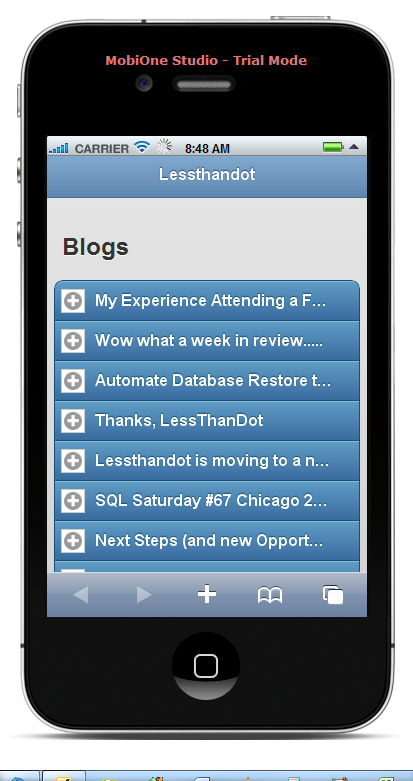
    First thing to know is that you add the jQuery and jQuery Mobile references and that it uses HTML 5 to do it's magic.

    1. <head>
    2.         <link rel="shortcut icon" href="favicon.ico" type="image/vnd.microsoft.icon" />
    3.         <link href="http://code.jquery.com/mobile/latest/jquery.mobile.min.css" rel="stylesheet" type="text/css" />
    4.         <script src="http://code.jquery.com/jquery-1.6.1.min.js"></script>
    5.         <script src="http://code.jquery.com/mobile/latest/jquery.mobile.min.js"></script>
    6.         <title>Mobile version of Lessthandot</title>
    7.     </head>

    I used the latest unstable release here, I might change that in the future when they do release.

    Then I used a page.You simply define it like this.

    1. <div data-role="page" data-theme="b"></div>

    The data-role tag tells it this is a pag and the data-theme let's you choose from 5 themes already there but you can make your own if you so desire.

    Then we define a header.

    1. <div data-role="header">
    2.  <h1>Lessthandot</h1>
    3. </div>

    Again we use data-role of type header this time.

    After that you have the content data-role to add your...content. And I added a title.

    1. <div data-role="content">
    2. <h2>Blogs</h2>

    After that it was time to add the items. I choose a collapsible set.

    1. <div data-role="collapsible-set" data-collapsed="true">

    Which gave me the possibility to add excerpts to it and a more button to open the post.
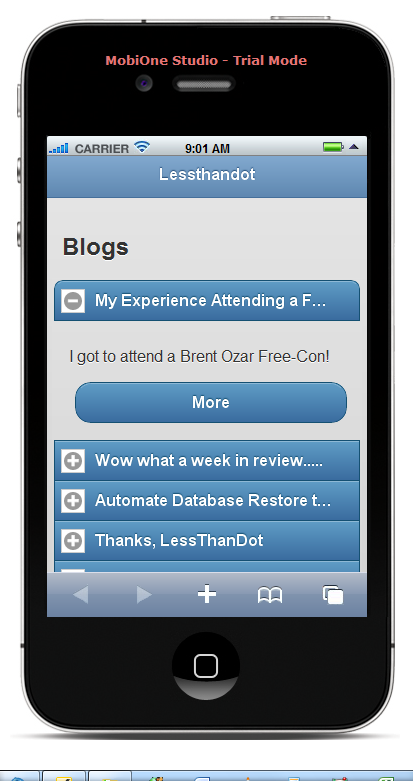
    The list and individual items would look something like this.

    1. <div data-role="collapsible" data-collapsed="true">    
    2.   <h3>title</h3>
    3.   <p>excerpt</p>
    4.   <div data-inline="true"><a href="index.html" data-role="button">More</a></div>
    5. </div>

    I guess by now you can see what it is doing.

    I also added a footer for paging on the page.

    Which looks something like this.
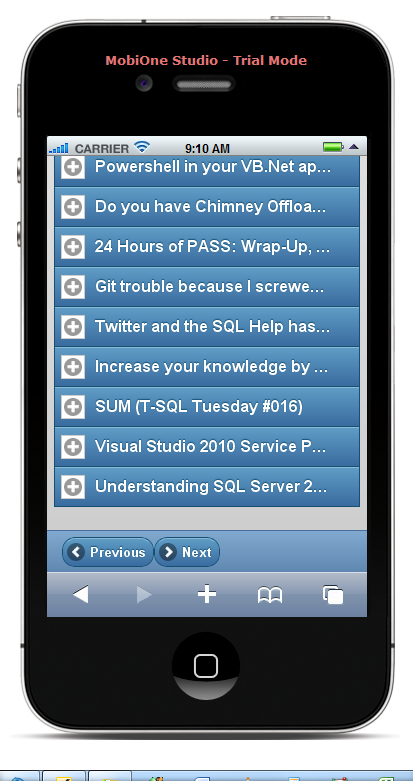
    And here is the code.

    1. <div data-role="footer" class="ui-bar">
    2.   <a href="mobileindex.php?page=1" data-role="button" data-icon="arrow-l">Previous</a>
    3.   <a href="mobileindex.php?page=3" data-role="button" data-icon="arrow-r">Previous</a>
    4. </div>

    Look at how you can easily add the icons to it.

    Then I made something similar to show the post.
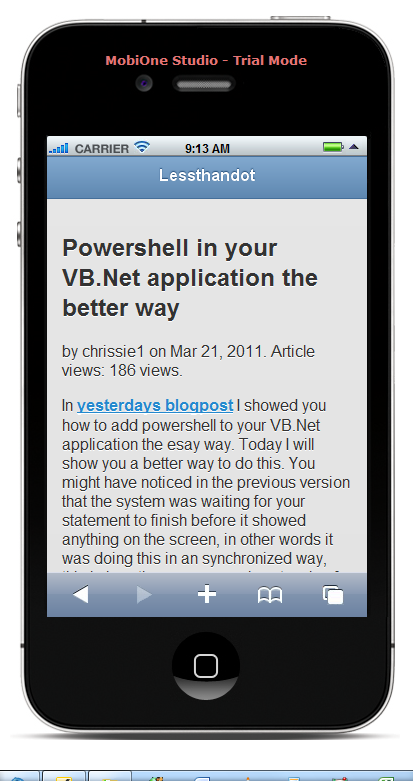
    The code for that is pretty much the same. as the above.

    Conclusion

    Working with jQuery Mobile is pretty simple and documentation is very good. The only thing to do now is to resize the images so that they fit better on the little screen.

    About the Author

    User bio imageChris is awesome.
    Social SitingsTwitterHomePageLTD RSS Feed
    InstapaperVote on HN

    6 comments

    Comment from: Joe O [Visitor] · http://www.ouimetllc.com
    Joe O I am excited to see how this progresses. Please share more, including your server side code (VB.Net I am guessing!)
    06/21/11 @ 07:03
    Comment from: Christiaan Baes (chrissie1) [Member]
    Christiaan Baes (chrissie1) Nope the backend is in php.
    06/21/11 @ 07:33
    Comment from: Claude [Member]
    Claude How do you plan to detect and possibly redirect users to the lighter version of the site? Will you have a mobile specific site or just a lighter template?
    06/21/11 @ 21:04
    Comment from: Christiaan Baes (chrissie1) [Member]
    Christiaan Baes (chrissie1) I was thinking of having mobile specific site. For the blogs and forum.
    06/22/11 @ 00:12
    Comment from: Alex Ullrich [Member] Email
    Alex Ullrich Oooh mobile forum too. You're too kind, sir :)
    06/22/11 @ 05:24
    Comment from: Usha Iyer [Visitor] · http://www.packtpub.com
    Usha Iyer Hi,

    I am Usha Iyer, a Senior Acquisition Editor with Packt Publishing. As an Acquisition Editor, it is my role to evaluate, develop and ultimately bring book ideas to publication. I am also responsible for finding the right author for any book; bringing them onboard, then working with them as the book is written.

    I have begun to develop a title on ‘jQM Cookbook’ and am now looking for an author to write this book.
    You can find some more information about writing for us at Packt’s website http://www.packtpub.com/authors.

    This book will teach people with base knowledge of jQuery mobile some problem solving recipes which will take them to the next level.

    Please contact me if you are interested in writing this book and I would love to discuss the opportunity with you further.

    Even if you do not want to involve yourself in the project, can you please suggest someone who may suit this project?

    Thanks,
    Usha
    Email: ushai@packtpub.com
    12/28/11 @ 02:13

    Leave a comment


    Your email address will not be revealed on this site.

    To mislead the spambots.

    Your URL will be displayed.
    (Line breaks become <br />)
    (Name, email & website)
    (Allow users to contact you through a message form (your email will not be revealed.)
