


Login or Sign Up to become a member!
LessThanDot Sit Logo

LessThanDot

Desktop Developer

Less Than Dot is a community of passionate IT professionals and enthusiasts dedicated to sharing technical knowledge, experience, and assistance. Inside you will find reference materials, interesting technical discussions, and expert tips and commentary. Once you register for an account you will have immediate access to the forums and all past articles and commentaries.

LTD Social Sitings

Lessthandot twitter Lessthandot Linkedin Lessthandot friendfeed Lessthandot facebook Lessthandot rss

Note: Watch for social icons on posts by your favorite authors to follow their postings on these and other social sites.

Your profile

    Search

    XML Feeds

    Google Ads

    « A few reasons why I'm not yet moving to WPFTeamCity and deployement »
    comments

    Introduction

    The model behind this screen is pretty complex.
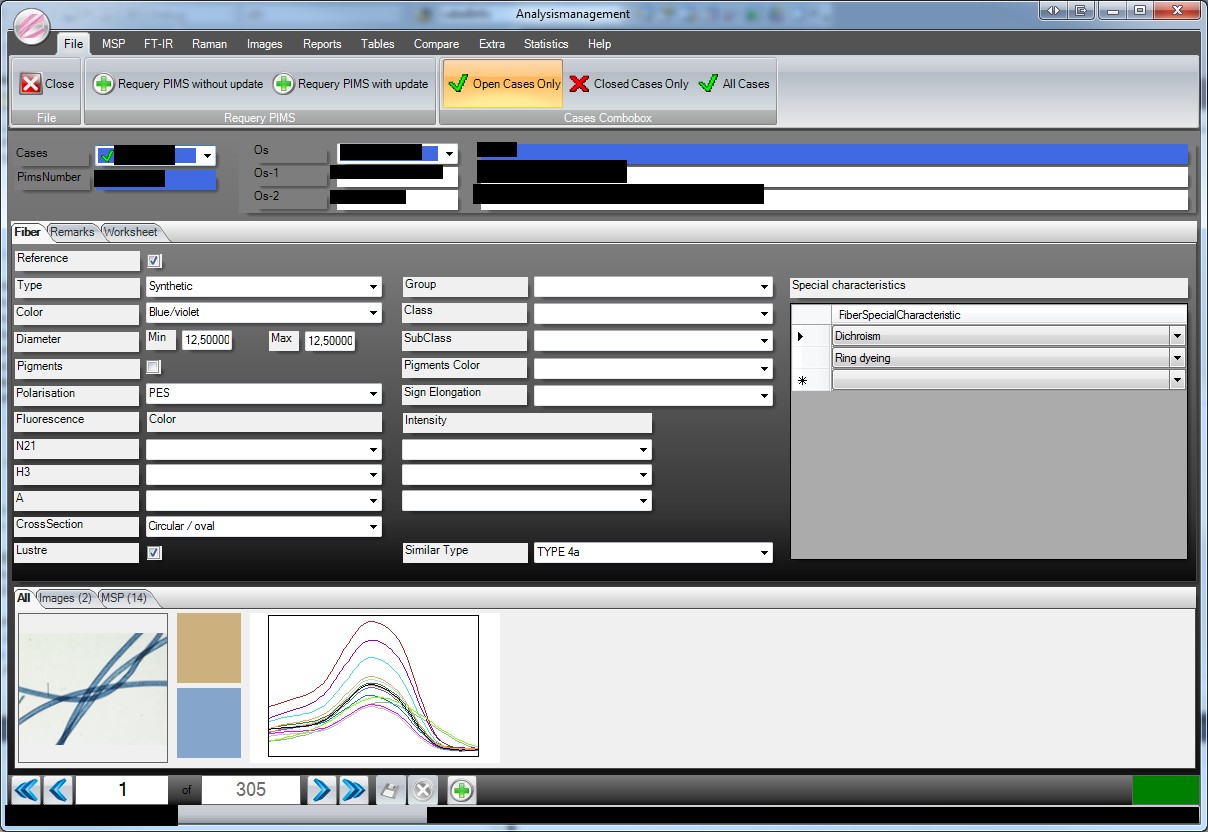
    This part is especially bad.
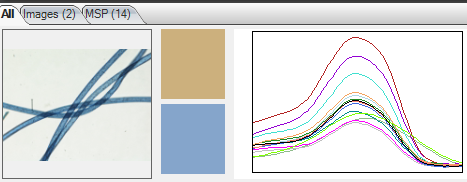
    Each of those colored lines is 421 rows in the database and this particular one has 14 of those. So that means it has to load 5894 rows just for that little thing. But that is not the big problem since it can do that quit fast and with one select statement.
    But some of the time you also need to save it to the database and that is slow since that needs 5894 statements.

    Did you notice all the Update table ... where id = anumber. EAch one of those is a roundtrip to the server.

    Not optimized

    This is what happens when I save the complete object to the database. (I used NHProf to visualize what was wrong).
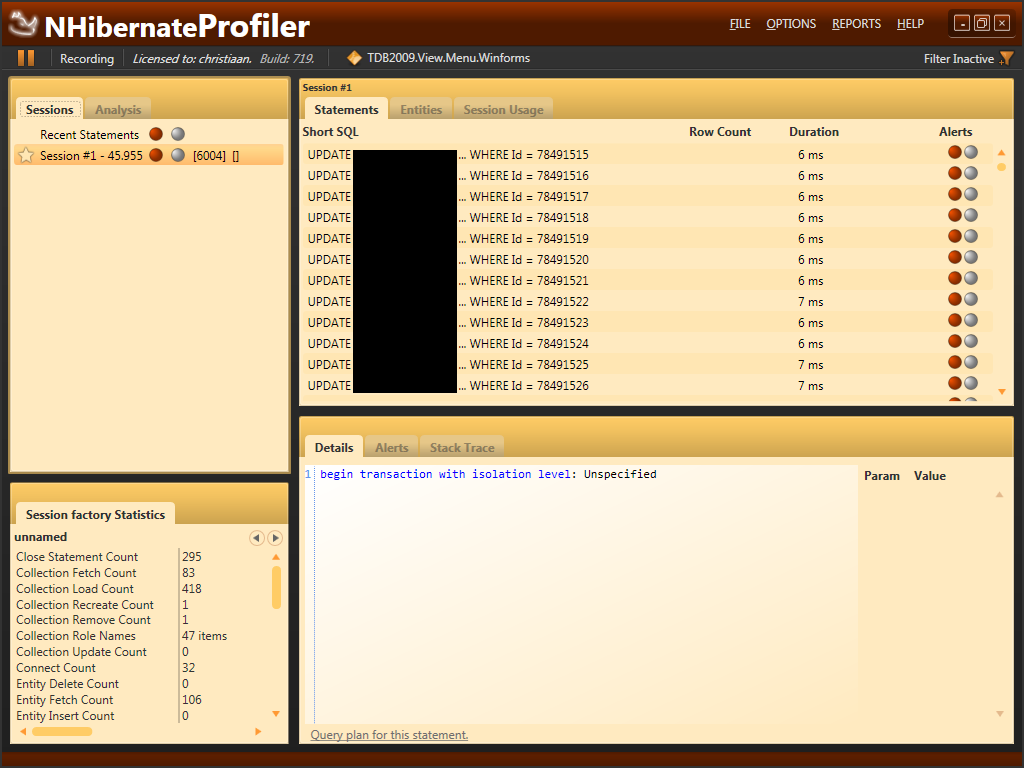
    It has a lot of statements it has to execute to save this thing to the database. There is nothing we can do about the number of statements but we can batch some of them so that the number of round trips to the server are limited.

    Optimized

    First of all you have to add this line to the NHibernate configuration. I do my configuration via code but you can do this via XML also.

    1. _Configuration.SetProperty("adonet.batch_size", "1")

    And here is my complete configuration.

    1. _Configuration = New Configuration()
    2.             _Configuration.SetProperty(Environment.ConnectionProvider, SolutionSettings.Configuration.NHibernate.ConnectionProvider)
    3.             _Configuration.SetProperty(Environment.Dialect, SolutionSettings.Configuration.NHibernate.Dialect)
    4.             _Configuration.SetProperty(Environment.ConnectionDriver, SolutionSettings.Configuration.NHibernate.ConnectionDriver)
    5.             _Configuration.SetProperty(Environment.ConnectionString, String.Format(SolutionSettings.Configuration.NHibernate.ConnectionString, SolutionSettings.Configuration.Server.DatabaseServer, SolutionSettings.Configuration.Database.Test, "Database"))
    6.             _Configuration.SetProperty(Environment.ShowSql, "false")
    7.             _Configuration.SetProperty(Environment.CommandTimeout, "100000")
    8.             Dim i = New NHibernate.Bytecode.LinFu.ProxyFactoryFactory
    9.             _Configuration.SetProperty(Environment.ProxyFactoryFactoryClass, "NHibernate.ByteCode.LinFu.ProxyFactoryFactory, NHibernate.ByteCode.LinFu")
    10.             _Configuration.SetProperty("generate_statistics", "true")
    11.             _Configuration.SetProperty("adonet.batch_size", "1")

    And you have to add a SetBatchSize to your session.
    Like this.

    1. _Session.SetBatchSize(50)
    2.                 _Session.SaveOrUpdate(SingleObject)
    3.                 _Session.Flush()

    And this is the result.
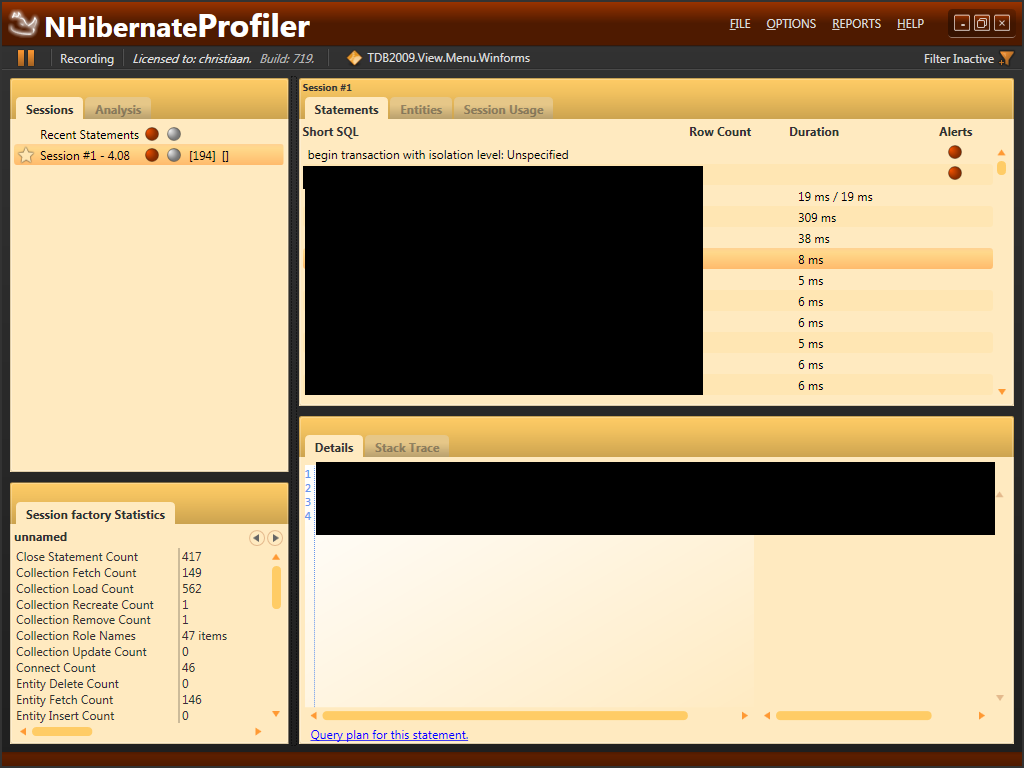
    It now only takes 4 seconds to save and only 194 roundtrips to the server. Compared to the 45 seconds and 6004 roundtrips that is a big improvement.

    You will see that it batches those update statement together.

    It now only takes 14ms for 50 statements to complete. While it used to take 50*6 = 300ms in the none batched version.

    Conclusion

    if you notice that update or insert are slow when you use nHibernate and you use huge collections then you better set the ado.Net batchsize.

    Only 4 more posts until the 250th and final post.

    About the Author

    User bio imageChris is awesome.
    Social SitingsTwitterHomePageLTD RSS Feed
    InstapaperVote on HN

    12 comments

    Comment from: Ted Krueger (onpnt) [Member]
    Ted Krueger (onpnt) Would be very interesting to see how SQL Server handled all of this and how different doing this the traditional way would compare.
    09/27/10 @ 05:14
    Comment from: Christiaan Baes (chrissie1) [Member]
    Christiaan Baes (chrissie1) I'm very sure I could make it a lot faster with SP's and straight ADO.Net. But I would have to spend much more time on it. It's a trade-of. Spend my time on making it faster or leaving it and adding more features. I usually prefer adding features and only optimizing when it gets to slow.
    NHibernate allows me to add new features a lot faster than the traditional way.
    09/27/10 @ 05:37
    Comment from: Ted Krueger (onpnt) [Member]
    Ted Krueger (onpnt) Understandable and the only argument I could ever make for it. Now talking about the argument of getting to the point of knowing how to add new features with that speed with nHibernate is a new topic if it is being introduced into a old school development team. :P Did I just start something?
    09/27/10 @ 06:01
    Comment from: Christiaan Baes (chrissie1) [Member]
    Christiaan Baes (chrissie1) You have a very good point there. As always you have to use the tools that are most suited for your situation and your team. But that does not mean you should stay in your comfort zone. Sometimes you just have to try different things. You can only know what is good if you learn what is bad. And you ain't gonna learn from watching someone else do it.
    09/27/10 @ 06:10
    Comment from: sqlsister [Member] Email
    sqlsister If you sent an array to a stored proc (using a table valued input parameter) and used a set-based insert would it be even faster? You may be doing less work across a network this way but the SQl Server still has to process all those inserts or updates as separate actions.
    09/27/10 @ 07:19
    Comment from: Christiaan Baes (chrissie1) [Member]
    Christiaan Baes (chrissie1) @sqlsister

    Yeah, probably. but I only have a limited number of users for this thing and the server likes to be kept busy for at least 30 minutes a day. And I don't think it is getting it's minimum dosage per day yet.
    09/27/10 @ 07:23
    Comment from: Alex Ullrich [Member] Email
    Alex Ullrich Good post Chris - this is one of those things that you don't need or know until you need it, but then you REALLY need it. I'm sure it will help someone out. But you need to stop hyping the final post, not sure if it is going to live up to expectations at this point.
    09/27/10 @ 10:18
    Comment from: Josh [Visitor] · http://weblogs.asp.net/dotjosh
    Josh I'm curious why you stopped at 50 when experimenting with the batch size, considering it's still making 194 round trips.
    09/28/10 @ 08:23
    Comment from: Christiaan Baes (chrissie1) [Member]
    Christiaan Baes (chrissie1) You have a point. In this case 421 (since the collections always have 421 rows in them) would be the perfect fit but going higher than 50 only adds marginal speed improvements.
    09/28/10 @ 08:29
    Comment from: Tom Bushell [Visitor]
    Tom Bushell Note that batch size is not supported by all DBs commonly used with NH. For example, SQLite just silently ignores the setting.
    09/28/10 @ 09:21
    Comment from: Josh Schwartzberg [Visitor] · http://weblogs.asp.net/dotjosh
    Josh Schwartzberg Another thing worth mentioning, that may not work in your situation. Nhibernate since version 2.1 allows for bulk updates in hql statements. More information here: http://docs.jboss.org/hibernate/core/3.3/reference/en/html/batch.html#batch-direct
    09/28/10 @ 11:18
    Comment from: Jack [Visitor]
    Jack professional app would use 1 round trip
    10/02/10 @ 16:24

    Leave a comment


    Your email address will not be revealed on this site.

    To mislead the spambots.

    Your URL will be displayed.
    (Line breaks become <br />)
    (Name, email & website)
    (Allow users to contact you through a message form (your email will not be revealed.)
