



SQL Server 2008 R2

Welcome to SQL Server Reporting Services week at SQL University. This is a great blog project put together by Jorge Segarra (Twitter | Blog), and contributed to by many SQL professionals. If you aren’t a student yet, head over to the website and get started in classes!
SQL Server Reporting Services Configuration Files
If you’ve ever set up or troubleshot a SQL Server Reporting Services installation, you have probably used the Configuration Manager. This is a nice graphical tool provided with SSRS to set things like the service account, the URLs, and more. All of this information, and much more, is stored in a series of XML configuration files.
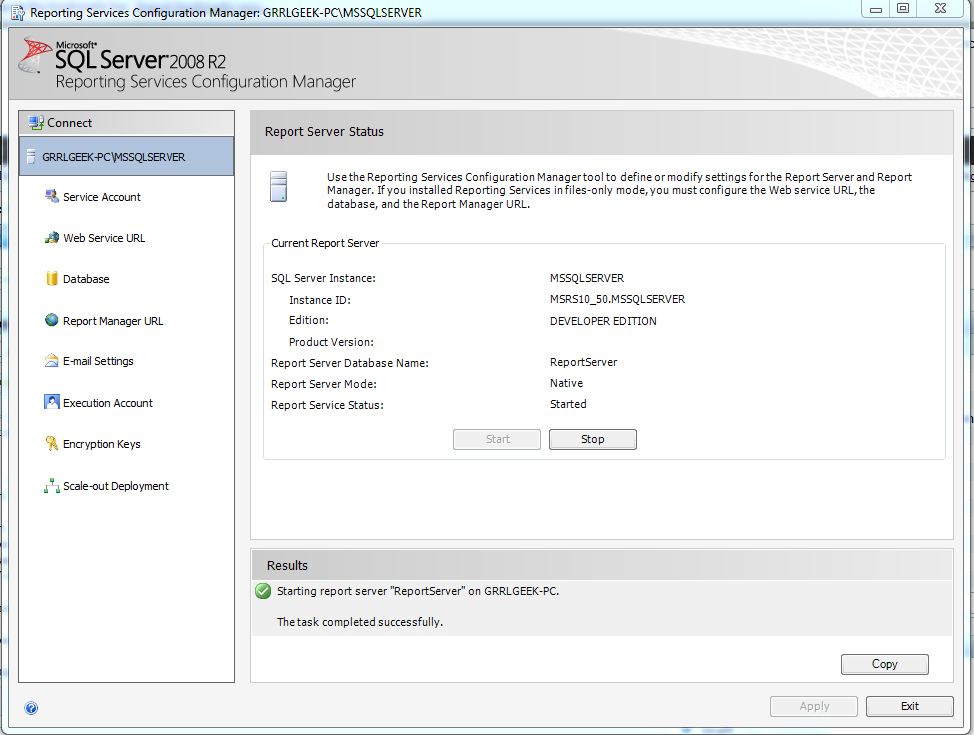
The main file is RSReportServer.config. We’ll explore the options you can set in this post.
The first thing you need to do? Find the files (and I see a lot of forum questions about where these are located). The RSReportServer.config file default location is C:Program FilesMicrosoft SQL ServerMSRS10_50.MSSQLSERVERReporting ServicesReportServer.
The second thing you need to do? Back up the files before making any changes.
Once you find the file and open it in a text editor (remember, it’s just an XML document), this is what you’ll see.

Let’s break it down!
General Configuration Settings
The first section is general settings. Here are a few to pay attention to.
DSN: This is the connection string to the ReportServer database. It’s encrypted.
MaxActiveReqForOneUser: The number of reports one user can process at one time. The default is 20. It’s hard to believe a user could run that many concurrent reports, but it is possible.
DatabaseQueryTimeout: This determines how long it takes a connection to time out. This is in seconds, and the default is 120.
DisplayErrorLink: If the report errors out, do you want to link to the Microsoft help site?
WebServiceUseFileShareStorage: This determines if cached reports and snapshots are stored in the ReportServerTempDB database (false, and the default), or on the file system.
URL Reservations
This section defines the URLs for your report server instance. However, you don’t want to edit the settings here. You want to go into the Configuration Manager and change them. These settings are on the Web Service URL and Report Manager URL screens.
Authentication
This is a very flexible and very powerful section. The default authentication type for SSRS is NTLM. However, SSRS allows many different types – RSWindowsNegotiate, RSWindowsKerberos, RSWindowsNTLM, RSWindowsBasic, and Custom. Unless you edit this manually, you will only see the default values.
Service
Settings here control the Report Server service.
IsSchedulingService: Using Policy-Based Management (in SQL Server 2008), you can choose to turn on or off SQL Server Agent for maintaining the schedules and subscriptions.
IsNotificationServer: Again, using Policy-Based Management, you can choose whether or not the service will deliver subscriptions.
MemorySafetyMargin and MemoryThreshold: SSRS has low, medium and high pressure settings on memory. These affect how requests are accepted and processed. These settings are in percentages. You can read about Configuring Available Memory for Report Server Applications on MSDN. Jeff Rush (Blog | Twitter) wrote a great post on Memory Pressure Zones.
UnattendedExecutionAccount: Configured using the Configuration Manager, this is the username, password and domain used to execute reports.
Extensions
SSRS allows you to add custom extensions, and modify the existing ones. This large section allows you to specify settings for everything from report delivery to data sources.
Delivery: Information used when sending reports out via subscription. Subscriptions can be email, file share, a document library (in SharePoint integrated mode), or preloading a cache. There are separate settings here for each type.
Report Server Fileshare: Settings here include the number of retries attempted, seconds between attempts, and excluded rendering formats.
Report Server Email: Settings here include the number of retries attempted, seconds between attempts, and SMTP information.
Report Server Document Library: These are settings related to SharePoint integrated mode. Like fileshare, settings here include the number of retries attempted, seconds between attempts, and excluded rendering formats.
NULL: This provider is used to preload a cache for reports. There are no options you can set here. (Why is it included? I have no idea.)
Delivery UI: This is what appears when setting up a subscription manually.
Render: The list of rendering extensions available. Only modify this section if you’re adding a custom extension.
Data: Data processing extensions tell you what types of data sources you can connect to. You can create custom extensions and add them here.
Semantic Query: This is an internal section for report models. Don’t touch!
Model Generation: This is also an internal section for report models. Don’t touch!
Security: Determines what type of authorization is used by the report server. The default is Windows, and shouldn’t be modified.
Authentication: Determines what type of authorization is used by Reporting Services. The default is Windows, and shouldn’t be modified unless you’re implementing a custom extension.
Event Processing: An internal-only section for event handlers. Don’t touch!
MapTileServerConfiguration
These settings are used when your reports tie into the Microsoft Bing Maps web services.
Conclusion
Reporting Services is very feature-rich, and allows you to do customization. Familiarity with the configuration files will give you a better understanding of what is available, how it works, and how to resolve problems that may occur.
Please take a minute to fill out the SQL University Course Evaluation for this week’s classes. Thanks!
 Jes Borland is a Premier Field Engineer - SQL Server for Microsoft, where she is a trusted technical adviser, deep technical support, and teacher for her customers. Her experience as a DBA, consultant, and 5-time Data Platform MVP allow her to help the business and the IT teams reach their goals. She has worked with SQL Server as a developer, report writer, DBA, and consultant. Her favorite topics are administration, automation, and performance. She frequently presents at user groups, SQL Saturdays, and other community events. She is also an avid runner and chef.

